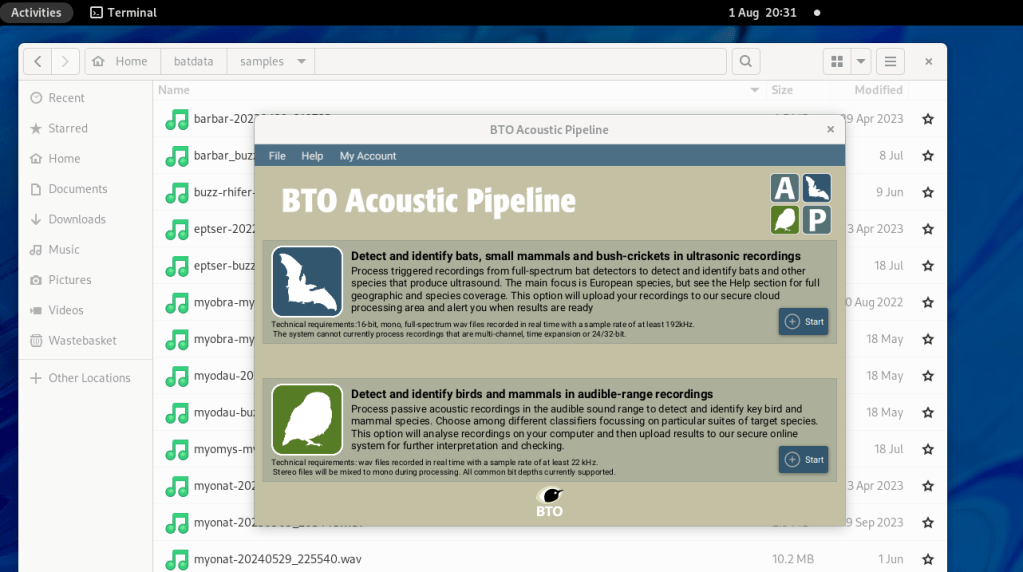
The BTO Acoustic Pipeline is a cloud hosted system for automatically classifying birds, bats and other wildlife in both audible and ultrasonic sound recordings. It uses AI that has been trained on a huge collection of sample data, and is one of the best systems of its kind. Even better, it is free to use up to a certain point.
What’s not to like? Well, there is one niggle. I do most of my processing of bat recordings on a Linux machine, because I use a lot of open source software. But, to submit recordings to the BTO pipeline, I need to use a client app provided by BTO. This app only runs on Windows and Apple Mac computers. So, to upload data to the pipeline, I have to go to another room, fire up a Windows computer, transfer the data to it, and use the app there.
It would be more convenient if I could run the client app from my Linux computer. This blog page details an ugly hack that makes this possible.
Note – only attempt this if you are confident with Linux and the bash shell. Understand that it may or may not work for you, your mileage may vary, your home is at risk if you do not keep up payments, and so forth. Having said that, it works pretty well for me.
Step 1: install the desktop app on a Windows machine.
Download the installer for the client app from the BTO pipeline web site, and install it on a Windows machine. Find where it has been installed to on the local file system. I found it at c:\Users\<username>\AppData\Local\AcousticPipelineClient:
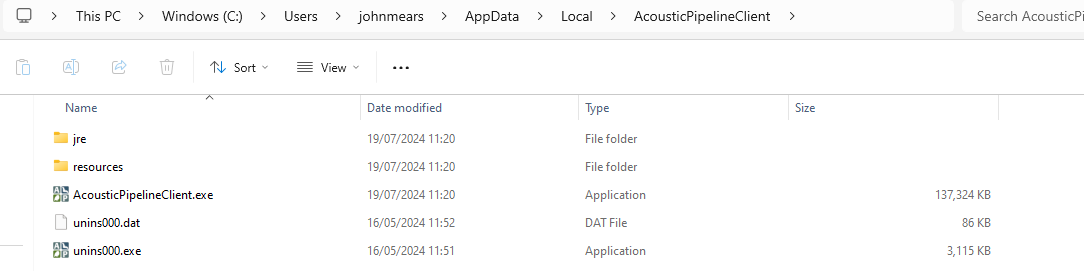
Copy AcousticPipelineClient.exe and the resources folder with its contents to a location on your Linux computer.
I used Windows for the initial install. I imagine you can do something similar with an Apple Mac, but I don’t have one to try it with.
Step 2: install some dependencies on the target Linux machine.
The client app uses JavaFX. You need to install this together with a suitable OpenJDK Java runtime. I followed the instructions here, and downloaded the JavaFX and Java runtime from here. You may already have a suitable Java runtime installed, in which case feel free to use that instead.
Here are the commands I used to install the dependencies and set up the environment:
mkdir btoclient
cd btoclient
tar xzf ~/Downloads/openjdk-22.0.2_linux-x64_bin.tar.gz
tar xzf ~/Downloads/openjfx-22.0.2_linux-x64_bin-sdk.tar.gz
export PATH=`pwd`/jdk-22.0.2/bin:$PATH
export JAVA_HOME=`pwd`/jdk-22.0.2
export PATH_TO_FX=`pwd`/javafx-sdk-22.0.2/lib
Finally, copy the executable and resources folder from the Windows installation into this directory. You should end up with something like this:

Step 3: Run the client app
Use this command from within the directory created in step 2:
java --module-path $PATH_TO_FX \
--add-modules javafx.controls,javafx.fxml,javafx.web \
-classpath `pwd`/AcousticPipelineClient.exe \
org.bto.acousticpipeline.main.AppLauncher -jar
Then log in and use the client app as usual.
You’ll probably want to create a bash script to simplify running the client app.
Note that the client won’t automatically update itself when new versions are available. Instead, you will need to go back to Windows, update it there, and copy across the executable and resource directory again.
 Twilight Travels
One response to “Accessing the BTO Acoustic Pipeline from Linux”
Thanks for these instructions – I didn’t have access to Windows at all, so they inspired me to try using the MacOS client package install.
I got this working as follows:
# Install java and openjfx dependencies
sudo apt install openjdk-21-jre openjfx
# Uncompress the downloaded the DMG package:
7z x AcousticPipelineClient-5.61.dmg
# Change to the app directory
cd AcousticPipelineClient/BTO Acoustic Pipeline.app/Contents
# Run the app
java –module-path /usr/share/openjfx/lib/
–add-modules javafx.controls,javafx.fxml,javafx.web
-cp Java/classpath/
-jar Java/classpath/org/bto/AcousticPipelineClient/4.0.0/AcousticPipelineClient-4.0.0.jar